2026 Top Sheet Metal Nesting Software for Global Buyers
For global buyers, choosing the right sheet metal nesting software is more than comparing license prices. It affects material waste, cutting speed, labor effort, and production consistency. A strong platform should import common CAD formats, recognize part geometry, and create efficient layouts across different sheet sizes. It should also connect smoothly with CNC lasers, plasma tables, punch presses, and enterprise planning systems.
Professor David A. Dornfeld, a respected manufacturing and sustainability researcher, said, “Manufacturing decisions are sustainability decisions.” His point matters here. A poor nesting decision can leave narrow strips, unused corners, and expensive scrap beside every finished batch. A better system can place hundreds of parts across a steel sheet while respecting grain direction, heat zones, minimum spacing, and remnant inventory. Small details matter.
This 2026 guide examines leading solutions for buyers in Europe, Asia, North America, and emerging manufacturing markets. It considers nesting accuracy, automation, integration, cloud access, technical support, cybersecurity, and total ownership cost. Real production needs remain different. A job shop may value quick setup, while an automotive supplier may require advanced scheduling and traceability. Some software performs well in demonstrations but feels slower on the factory floor. That weakness deserves attention.
We also consider operator experience. Clear controls, useful warnings, and editable layouts can prevent costly mistakes. No software removes every production problem. However, the right sheet metal nesting software can make waste visible, decisions faster, and manufacturing results more predictable.
What Is Sheet Metal Nesting Software?
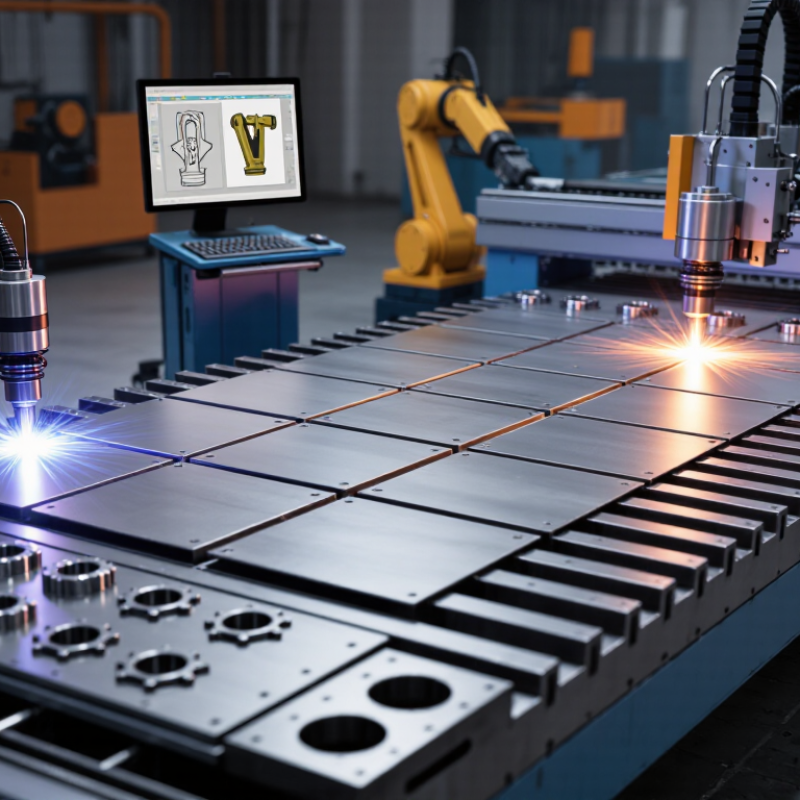
Sheet metal nesting software is a digital tool that arranges parts on metal sheets before cutting. It aims to reduce scrap, shorten cutting time, and improve production planning. The software reads CAD drawings, identifies part shapes, and places them within sheet boundaries. It can also consider grain direction, edge clearance, kerf width, and required quantities.
In practical workshops, nesting affects both cost and consistency. A strong system creates cutting layouts quickly, even when orders contain many different shapes. It may connect with inventory data, helping operators select available sheet sizes and thicknesses. Clear layouts also reduce manual adjustments on the shop floor. However, software is not a complete solution. Poor drawings, incorrect material data, or rushed settings can still produce waste. Human review remains necessary.
Tips: Check the material database before creating a layout. Confirm thickness, sheet size, grain direction, and cutting allowances. Test one layout against the actual machine process. Small gaps can change results. Keep operators involved, because their experience often reveals loading problems or handling risks. Review scrap reports regularly, but do not judge efficiency from one project alone. Job mix, remnant availability, and urgent orders can distort the figures. A realistic evaluation should compare several production cycles and include setup time, not only material savings.
How Sheet Metal Nesting Works Step by Step
Sheet metal nesting begins with accurate digital drawings. The operator imports part files and checks dimensions, bend allowances, hole sizes, and material thickness. Small errors here can create costly scrap later. The software then groups parts by material, gauge, grain direction, and production order. Stainless steel and mild steel should never share the same nesting job. They cut differently.
The next step is setting the sheet size and usable margins. The system places larger parts first, then fills gaps with smaller components. It considers tool clearance, cutting paths, pierce points, and heat distribution. A practical operator reviews the automatic layout instead of accepting it blindly. The shortest cutting route may cause excessive heat near thin edges. That can distort the sheet. Not ideal.
After simulation, the operator checks scrap percentage, remnant size, and estimated cutting time. Remnants should receive clear labels, including alloy, thickness, dimensions, and storage location. This detail helps global purchasing teams reuse material across different facilities. Units, tolerances, and machine limits must also match local production standards. A test run on a sample sheet can reveal problems that software misses. Real metal behaves imperfectly. Reflection matters. A layout that saves material may still slow loading, increase tool changes, or make inspection harder. Experienced teams compare cost, quality, and workflow before releasing the final program.
Key Features of Leading Nesting Software in 2026
In 2026, leading sheet metal nesting software does more than arrange parts on a plate. It evaluates material thickness, grain direction, cutting technology, and remnant availability. True-shape nesting can reduce unused areas around irregular parts. That matters.
Reliable systems also calculate kerf width, lead-ins, microjoints, and heat concentration before production. A clear simulation helps operators spot collisions, narrow bridges, or unstable parts. Small errors grow. Experienced fabricators still inspect the layout because automated recommendations are not always practical on the shop floor.
Strong software connects with CAD, ERP, inventory, and machine-control systems. It should recognize current material stocks and suggest suitable remnants instead of opening a new sheet unnecessarily. Batch nesting is valuable for mixed orders, especially when delivery dates change during the day. The interface should show estimated consumption, cycle time, and scrap percentage in plain language. Some platforms offer cloud collaboration, while others support local deployment for tighter data control. Both approaches can work, but access permissions and audit records deserve careful review.
A useful 2026 solution also supports material traceability and exportable production reports. Postprocessor accuracy is essential across different cutting machines. A wrong setting can waste an entire sheet. Software vendors often promote artificial intelligence, yet buyers should test it with real parts, holes, thin webs, and changing quantities. Trial results reveal more than polished demonstrations. Technicians need training, and the training budget is easy to underestimate.
How to Compare Nesting Software for Global Buyers
2026 Top Sheet Metal Nesting Software for Global Buyers
Comparing nesting software requires more than checking material-yield percentages. A practical evaluation starts with real parts, mixed thicknesses, and your cutting machines. Deloitte’s 2024 Smart Manufacturing and Operations Survey found that manufacturers expect smart technologies to improve production output by 10% to 20%. That potential depends on reliable data exchange, not attractive dashboards.
Ask whether the software supports your file formats, post-processors, local units, and material libraries. Check how it handles common problems, such as remnant sheets, shared cuts, heat distortion, and urgent order changes. Cloud access may help international teams, but offline work can matter in factories with unstable connections. Cybersecurity deserves equal attention. The software should offer role-based access, audit records, and clear data ownership. A low license price can hide training, integration, and maintenance costs. I learned that the hard way.
Tips: Request a trial using 20 to 30 representative jobs. Measure material utilization, programming time, remnant reuse, and manual corrections. Compare results across different operators. Do not trust one impressive sample. The World Economic Forum’s 2023 Global Lighthouse Network report highlights measurable gains from connected manufacturing, but results vary sharply by implementation quality. Buyers should also ask about regional support, language options, response times, and upgrade policies. A tool that performs well in one plant may need adjustment elsewhere. That is normal. Industry assumptions should still be challenged.
2026 Top Sheet Metal Nesting Software for Global Buyers
How to Compare Nesting Software for Global Buyers
A fair nesting-software comparison should use identical material formats and production requirements.
The chart shows commonly used nominal sheet formats and their calculated areas: 1,000 × 2,000 mm,
1,250 × 2,500 mm, 1,500 × 3,000 mm, and 1,500 × 6,000 mm. Buyers can use these formats to test
material utilization, remnant handling, cutting-time estimates, grain direction control, and machine compatibility.
How to Choose the Best Solution for Your Production Needs
Choosing sheet metal nesting software should begin with your actual production floor, not a feature list. Review material types, sheet sizes, cutting methods, and daily order changes. Measure twice. A solution that saves material but slows programming may reduce total productivity.
Test the software with real files from your workshop. Include thin stainless steel, mixed thicknesses, small parts, and urgent revisions. Compare material utilization, calculation time, remnant handling, and operator effort. Ask whether the system connects reliably with your CAD, ERP, and cutting equipment. Exported programs must match machine requirements without repeated manual corrections. That gap matters.
Request a controlled trial and document every result. Measure scrap percentages across several jobs, rather than trusting one attractive sample. Check user permissions, backup procedures, technical support hours, training quality, and language options for international teams. Confirm how updates affect existing post-processors and production settings. My first software evaluation focused too heavily on nesting efficiency. Later, I found that poor revision control caused more downtime than material waste. This is an easy mistake to repeat. Invite programmers, operators, purchasing staff, and maintenance technicians to review the trial. Their concerns may conflict, but those details reveal practical risks. A lower purchase price can become expensive when onboarding takes weeks or support remains unclear. Keep evidence from the trial, including screenshots, cycle times, scrap records, and operator comments. Use that record during contract discussions and future performance checks.