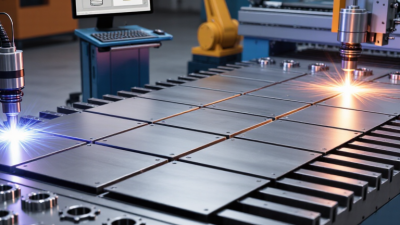
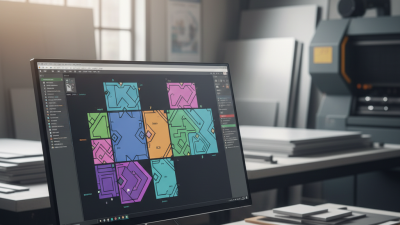
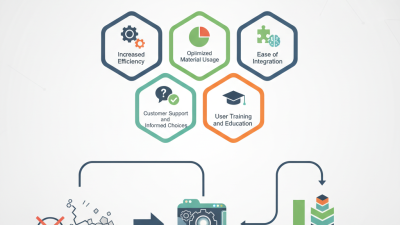
Global manufacturers face a difficult balance between material savings, production speed, and reliable delivery. A single poorly arranged sheet can leave expensive steel, aluminum, or composite material unused. Across several production shifts, that small loss becomes significant.
Nesting software helps manufacturers arrange parts more efficiently before cutting begins. It can evaluate sheet dimensions, grain direction, kerf allowances, remnant stock, and machine constraints. The best platforms also connect with CAD, ERP, and production-monitoring systems. That connection matters when factories manage different plants, currencies, machines, and customer requirements.
Mikell P. Groover, a respected manufacturing automation author, writes, “Computer-integrated manufacturing is the integration of the total manufacturing enterprise through computer systems.” His observation remains highly relevant. Modern nesting software should not operate as an isolated optimizer. It should support the wider manufacturing process.
But software promises can look better than factory results.
Real performance depends on clean drawings, accurate inventories, trained operators, and disciplined data management. A tool may report impressive material utilization while creating difficult part-removal sequences. Another platform may reduce scrap but slow machines through excessive toolpath complexity. These trade-offs deserve attention.
This guide examines seven nesting software options for global manufacturers. Each solution is considered through practical criteria, including material yield, automation, integration, scalability, usability, and technical support. The ranking is not absolute. A high-volume automotive supplier may need different capabilities than a small aerospace job shop.
The right choice should fit the factory, not merely the feature list.
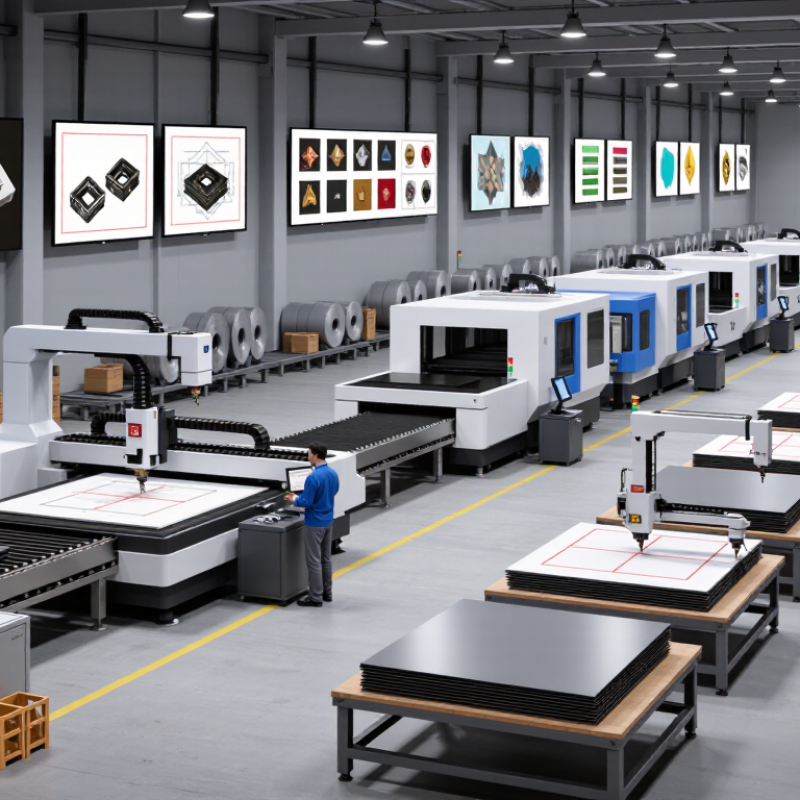
Nesting software converts digital part drawings into efficient cutting layouts. It checks geometry, material type, grain direction, and machine limits before production begins. For a global manufacturer, this creates one planning language across factories, even when machines and processes differ. That consistency matters.
The United Nations Environment Programme’s 2024 Global Resources Outlook reports that global resource extraction has tripled over the past five decades. It may rise another 60% by 2060 without stronger efficiency measures. Nesting software can reduce offcuts by placing irregular parts inside usable sheet areas. It can also track remnants, preventing good material from becoming forgotten inventory. Small gains compound. A two-percent improvement may seem modest, but it becomes significant across thousands of sheets and several plants.
Integration is where practical value appears. Software connected with CAD, manufacturing execution, and enterprise planning systems can transfer job data without repeated manual entry. It may also compare cutting plans, estimate cycle times, and flag overloaded machines. The International Federation of Robotics recorded 541,302 industrial robot installations worldwide in 2023, showing how quickly production environments are becoming automated. Nesting must fit that environment, not operate as an isolated desktop tool. Yet predictions are imperfect. Material savings shown on screen may disappear through poor maintenance, incorrect kerf settings, or rushed scheduling. Experienced teams still verify trial cuts, review remnants, and question optimistic utilization percentages.
Nesting software optimizes part layouts across sheets, plates, panels, and rolls. The benchmark values shown represent commonly reported operational improvement ranges in manufacturing environments: higher material utilization, lower scrap, shorter CNC programming time, and reduced machine idle time.
In production reviews, nesting software should be judged by more than advertised yield. A practical comparison starts with geometry handling. Can it import common CAD formats without shifting holes or open contours? Test a mixed batch: thin aluminum panels, irregular brackets, and repeated cabinet sides. Watch the result on screen. Good platforms expose rotation rules, grain direction, kerf allowances, and part spacing. They also record why a piece was moved. That detail matters when an operator must adjust a nest at 6 a.m. A small warning can prevent a full sheet from becoming expensive scrap.
Measure outcomes using the same jobs, not vendor demonstrations. Compare material utilization, nesting time, remnant reuse, and machine setup effort. Include actual remnants with warped edges. They reveal weaknesses quickly. The platform should connect reliably with CAD, ERP, MES, and cutting equipment while preserving revision history. For global plants, check units, languages, time zones, permissions, and offline recovery. Data security deserves a hands-on review, including backups and access logs. Fancy dashboards are optional. Stable exports are not.
From experience, the best test includes operators, planners, and maintenance staff. Their questions expose the learning curve. Ask how errors are corrected and how training is delivered across sites. Look for simulation, collision checks, and clear machine-code validation. Support quality also matters; delayed answers can stop a line. No platform wins every material or machine. I would keep a scorecard and rerun it after updates. That is less exciting, but more trustworthy. An impressive yield percentage may hide extra handling, manual sorting, or slower cutting. Measure the whole workflow.
Manufacturers now have seven leading nesting software options for different production needs. These include rule-based nesting, automatic true-shape nesting, remnant-aware systems, cloud platforms, machine-integrated tools, multi-site planning suites, and solutions built for high-mix production. Each option can reduce material waste, shorten setup time, and improve cutting consistency. However, results depend on accurate drawings, reliable material data, and disciplined shop-floor practices.
In production assessments, true-shape nesting often suits complex profiles and irregular sheets. Remnant-aware software helps teams reuse leftover material instead of treating it as scrap. Cloud-based systems support distributed factories, while machine-integrated tools can reduce manual file transfers. Multi-site platforms offer stronger control across plants, but they may require more training. No option fits every manufacturer. That is the difficult part. A cheaper system may create hidden labor costs through rework, poor scheduling, or weak reporting.
Tips: Test each option with real production files, not sample shapes. Measure material yield, nesting time, remnant use, and operator corrections. Ask users to review a crowded sheet with small holes and mixed thicknesses. Check how the software handles design changes and damaged stock. Keep one week of baseline data before comparing results. A perfect trial is unlikely. That is useful, because actual factory problems reveal more than polished demonstrations.
Choosing the best nesting software for global manufacturers requires more than comparing cutting speed. International operations need consistent results across plants, languages, currencies, and production systems. Evaluate how easily the software imports CAD files, handles material libraries, and connects with enterprise planning tools. A strong platform should reduce scrap while supporting different machines, sheet sizes, and regional workflows.
Test each option with real production data. Use mixed orders, irregular shapes, grain restrictions, and last-minute changes. Measure material usage, nesting time, operator effort, and rework rates. Ask whether the system records revisions clearly. That detail matters when teams work across time zones. Cloud access may improve collaboration, but unstable connectivity can create delays. Offline functions deserve careful testing. Do not trust a polished demonstration alone.
Tips: Build a small trial using the same materials and machines used on your factory floor. Include operators from different regions. Their practical feedback often reveals hidden training costs. Check security controls, user permissions, technical support hours, and data residency requirements. Request references from manufacturers with similar production volumes. Review the total cost, including integration, updates, training, and maintenance. A cheaper license may become expensive after deployment. I would also challenge the software with unusual jobs, because standard samples can hide weaknesses. No platform will fit every factory perfectly.
7 Best Nesting Software for Global Manufacturers
Implementation Factors for Choosing the Right Solution
Choosing nesting software is an implementation decision, not only a feature comparison. Confirm compatibility with CAD, ERP, MES, and production planning systems. Data should move without repeated manual entry. Test common files, material grades, thicknesses, and machine settings before approval. A trial using real factory drawings is more reliable than a polished demonstration.
Tips: Start with one production line. Measure material utilization, programming time, remnant recovery, and rework. Include operators in testing. Their practical feedback often reveals issues that managers miss. Check training quality, local support hours, cybersecurity controls, and upgrade procedures. Global teams also need clear permissions and consistent templates across sites.
A strong solution should support different machines, currencies, units, and working practices. Confirm whether each facility can manage local workflows without breaking shared standards. Migration deserves careful attention. Old job files may contain missing profiles, inconsistent labels, or damaged geometry. We have seen promising rollouts slow down because these details were ignored. That risk is easy to underestimate. Require documented testing, named owners, and measurable acceptance criteria. A phased launch usually exposes integration gaps before they affect every factory. Still, no implementation is perfect. Leave time for tuning, retraining, and honest review after production begins.
| Solution Profile | Primary Manufacturing Fit | Material Optimization Score | Automatic Nesting | CAD/CAM Integration | ERP/MES Connectivity | Machine and Process Coverage | Deployment Model | Typical Implementation Time | Required Internal Resources | Best-Fit Organization |
|---|---|---|---|---|---|---|---|---|---|---|
| Solution Profile 1 | High-volume sheet-metal production | 5 / 5 | Advanced | Native and open API options | Strong; supports job and production-status exchange | Laser, plasma, punch, combination machines | Cloud or on-premises | 8–14 weeks | Project owner, CAD/CAM lead, IT integration support | Global plants with standardized workflows |
| Solution Profile 2 | Mixed-material fabrication and contract manufacturing | 4 / 5 | Advanced | Broad file-format compatibility | Moderate to strong; usually configured through middleware | Laser, waterjet, routing, plasma | On-premises or private cloud | 10–18 weeks | Manufacturing engineer, system administrator, process analyst | Plants managing diverse materials and customer orders |
| Solution Profile 3 | Multi-site standardization and centralized planning | 4 / 5 | Advanced | Centralized library and rules management | Strong; suitable for synchronized master data | Multiple machine types across distributed sites | Cloud-first | 12–20 weeks | Global process owner, IT architect, local super users | Manufacturers requiring common global standards |
| Solution Profile 4 | Small and mid-sized job shops | 3 / 5 | Standard | Common CAD formats and machine-post integration | Basic to moderate; often file-based | Laser, plasma, punch, and router equipment | On-premises or hosted subscription | 4–8 weeks | One implementation lead and one trained operator | Businesses prioritizing fast adoption and low complexity |
| Solution Profile 5 | Complex profiles, tubes, and structural components | 4 / 5 | Advanced for profile-based work | Specialized 3D and profile-data workflows | Moderate; depends on production-planning architecture | Tube laser, profile cutting, drilling, marking | On-premises or private cloud | 10–16 weeks | Application engineer, machine specialist, CAD administrator | Manufacturers producing tubes, beams, and formed profiles |
| Solution Profile 6 | High-mix, low-volume manufacturing | 4 / 5 | Rule-based and operator-assisted | Flexible import with manual editing controls | Moderate; supports order and inventory references | Laser, waterjet, routing, and specialty cutting | Desktop with optional cloud services | 6–12 weeks | Production planner, operator champion, IT support | Factories balancing customization with short lead times |
| Solution Profile 7 | Budget-conscious production environments | 3 / 5 | Standard | Common CAD and machine-file interfaces | Basic; custom integration may be required | Core laser, plasma, and punch applications | On-premises or subscription-based | 3–7 weeks | Production supervisor and application operator | Organizations seeking essential nesting functions with controlled cost |