Choosing sheet metal software in 2026 is not just a feature comparison. It affects how drawings become cut parts, how revisions reach the shop floor, and how much material ends up in the scrap bin. A useful manufacturing principle comes from Toyota engineer Taiichi Ohno: “Having no problems is the biggest problem of all.” His warning is not about software specifically, but it fits the selection process: a smooth demo can hide awkward workflows. Look closely.
The best sheet metal software should match the work your team actually does. Picture a designer changing a flange at 4 p.m. Can the system update the flat pattern, flag a collision, and share the revision without creating three competing files? Check how it handles nesting, bend tables, machine output, and links to your existing CAD or ERP tools. Then test those tasks with your own parts, not only polished sample models. Real parts expose gaps.
This guide outlines the questions worth asking before you commit: which capabilities matter, how to compare usability and integration, and what to verify during a trial. It also considers training, support, and the costs that may sit outside the license. One caution: the most powerful package may still be wrong for a small team with simple jobs. And feature lists rarely reveal daily friction. Expect trade-offs. The goal is not a perfect tool; it is a dependable fit for your machines, people, and production decisions.
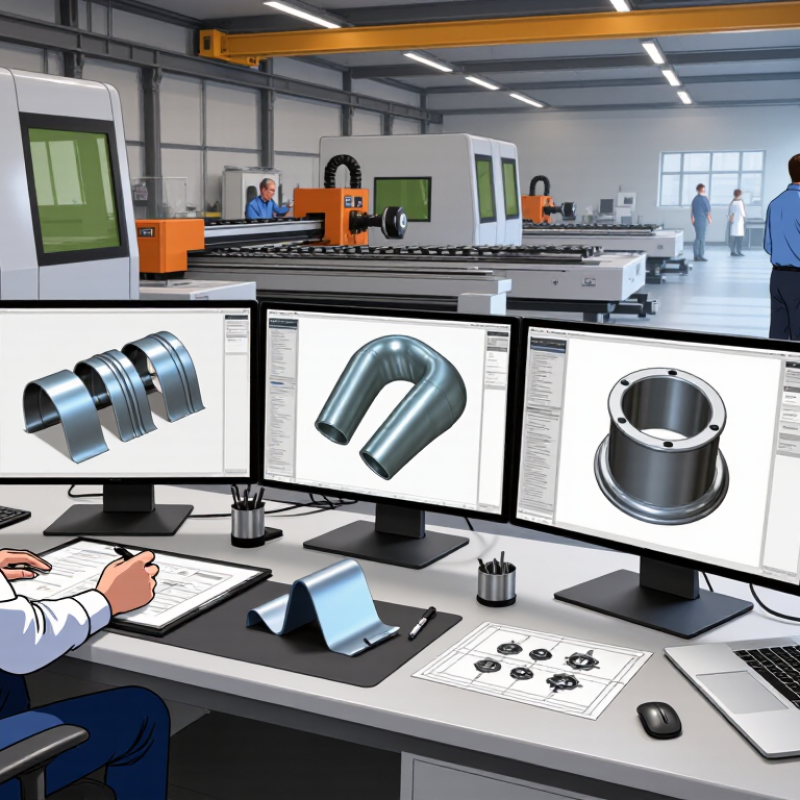
Sheet metal software connects design details with the steps needed to make a part. It can create flat patterns from 3D models, calculate bend allowances, and prepare cutting or forming instructions. A technician can inspect the unfolded layout before material reaches the laser or punch. That matters. A misplaced hole or incorrect bend direction can waste a full sheet.
During production, the software helps teams organize material, machine settings, and job sequences. Nesting tools arrange parts to reduce scrap, while production plans show which orders share a material thickness or sheet size. Shop-floor staff can compare the planned process with the actual setup, including tooling and bend order. Small errors travel. A wrong material grade entered early may affect several later steps, so clear checks and current data are essential.
Choosing useful software means testing it against real work, not only polished demonstrations. Try a representative part with several bends, cutouts, and tight tolerances. Check whether operators can understand the output, and whether design changes reach production without manual re-entry. The software still depends on accurate drawings, machine data, and trained people. Settings may need adjustment after real parts are formed; a simulation is helpful, but it is not the finished component.
Sheet metal software should support the full route from quote to finished part, not just create attractive geometry. For design, check parametric 2D and 3D tools, material libraries, bend allowances, reliefs, and automatic flat patterns. A wrong gauge or inside radius can shift hole positions after forming. The system should track revisions and connect drawings to the right material and tooling. Small details matter.
Manufacturing teams also need nesting that considers grain direction, remnant reuse, and kerf, plus dependable postprocessors for their laser, punch, or press brake. Look for simulation, collision checks, clear work-order outputs, and practical links to inventory or production systems. Deloitte and MAPI’s 2024 Smart Manufacturing Survey found that 86% of surveyed manufacturers viewed smart factory solutions as a key competitiveness driver over the next five years. Data flow matters, but integration claims need a live test. A long feature list can still miss the shop’s real bottleneck.
Tips: Test one real part from drawing import through cutting and bending. Check the flat pattern, machine output, and revision handoff with shop-floor staff. Test the handoff. If operators need workarounds, note them; the software may not be the only problem.
| Evaluation Dimension | What the Software Should Support | Practical Acceptance Test | Why It Matters |
|---|---|---|---|
| 2D and 3D CAD design | Sheet metal parts, assemblies, bend features, flat patterns, and drawing documentation. | Create a part with multiple bends, generate its flat pattern, and verify that the drawing updates when the design changes. | Connected design data reduces repeated modeling and inconsistencies between the formed part and its flat pattern. |
| File exchange and interoperability | Import and export the formats used by your customers, suppliers, and production equipment; preserve geometry and relevant metadata where supported. | Exchange representative files with your existing systems and check dimensions, bend information, layers, and revision details after transfer. | Reliable exchange helps prevent rework when data moves between design, quoting, and manufacturing. |
| Flat-pattern and bend calculations | Configurable bend allowances or deductions using material, thickness, tooling, and process parameters. | Compare software-generated flat patterns with verified shop measurements for the materials and tooling used in production. | Bend behavior depends on material and process conditions, so shop-verified settings are more useful than assuming one universal value. |
| Material and process data | Maintain material grades, thicknesses, finishes, and process-specific settings in controlled libraries. | Confirm that a released part uses the intended material and thickness and that the values carry through to drawings and production data. | Accurate material data supports purchasing, manufacturability checks, and consistent production instructions. |
| Nesting and material utilization | Arrange parts on available sheet sizes while respecting grain direction, part rotation rules, common-line cutting options, and process constraints where applicable. | Run a representative job and review the nest, usable remnants, part count, and estimated material use against your current planning method. | Nesting quality affects material consumption, cutting time, and the usefulness of leftover stock. |
| Machine and tool compatibility | Generate production-ready output for the shop’s cutting, punching, bending, or other supported equipment and tooling. | Validate a sample program with the relevant machine workflow, including tool selection, setup information, and any required post-processing. | Compatibility must be proven with the actual equipment and workflow; file export alone does not guarantee a usable machine program. |
| Quoting and costing | Use configurable inputs such as material, operations, setup time, run time, labor, and outside processing. | Recalculate a completed job using your own cost assumptions and compare the estimate with documented production results. | Transparent, adjustable assumptions make estimates easier to review and maintain as costs or processes change. |
| Revision and change control | Track revisions and communicate changes across models, drawings, nests, and manufacturing instructions. | Revise a test part and confirm that users can identify the current release and find the affected downstream documents. | Clear revision control helps reduce the risk of producing from outdated design or process information. |
| Production planning and traceability | Connect jobs with orders, materials, operations, and status information; provide traceability appropriate to your workflow. | Follow a sample job from order or work instruction through completion and verify that its key records can be retrieved. | Visibility into job status and production records supports coordination and investigation of quality issues. |
| Deployment, security, and support | Offer a deployment model, access controls, backup and recovery provisions, and support arrangements that meet your operational requirements. | Review user permissions, data recovery procedures, system requirements, update practices, and support response terms before adoption. | Operational fit includes protecting design data and keeping essential workflows available—not only feature coverage. |
| Evaluation method | Assess each requirement using a consistent internal scale, such as 0 = not supported, 1 = supported with workarounds, and 2 = meets the tested requirement. | Use the same sample parts, materials, machine workflows, and acceptance tests for every solution under consideration. | A controlled comparison is more meaningful than relying on feature lists or vendor demonstrations alone. |
| Acceptance criteria should be based on your materials, tolerances, machines, data-exchange needs, and production workflow. The tests above are evaluation guidance, not universal performance guarantees. | |||
A strong sheet metal platform should prove its value on real shop tasks, not polished demonstrations. Test whether it handles your daily file formats, material libraries, bend allowances, nesting, and revision changes. Use a familiar part with several bends and a tight tolerance. Compare its flat pattern and estimated material use with verified shop-floor results. Small errors add up.
Accuracy deserves a direct check. Ask how the software models springback, tooling, and material thickness, then run the same part through repeatable tests. Record the difference between predicted and measured dimensions. Deloitte’s 2024 Smart Manufacturing and Operations Survey found that 86% of surveyed manufacturers expect smart manufacturing to be a key competitiveness driver within five years. That makes dependable digital outputs important, but software alone cannot correct poor input data. A detail often overlooked.
Ease of use matters just as much. Have a programmer and a newer operator complete the same task, such as revising a flange and exporting a cutting file. Watch for hidden steps, confusing warnings, and slow handoffs to production. Deloitte also reported that 83% expect smart manufacturing to transform production. Still, a feature-rich interface can feel heavy. That is worth questioning. Choose tools your team can learn, audit, and use consistently.
Suggested weighting for a practical software evaluation
How to use this chart: Treat the percentages as a suggested decision framework, not as survey results. Test feature coverage and accuracy with representative parts, drawings, and manufacturing rules from your own workflow. Then assess ease of use, interoperability, and support, adjusting the weights to match your priorities.
Choosing sheet metal software in 2026 starts with the work it must connect. Map how drawings move from design through quoting, nesting, production, and inventory. Check whether the system can exchange usable data with your existing CAD, ERP, and shop-floor tools. A file that opens is not necessarily a file that works. Test real jobs, including a revised drawing, a material change, and a part with several bends. Watch for manual re-entry of dimensions or material codes; small errors can travel far.
Deployment affects daily work as much as the feature list. Cloud access may suit multiple locations, while local installation can fit sites with specific network or machine requirements. Ask how data is migrated, how updates are scheduled, and what happens if the connection drops during a shift. Small details matter. Support should include clear response times, practical training, and help for production problems—not only software setup. Request a sample escalation process, then check whether support hours match your working hours.
Compare total cost over three to five years, not just the initial quote. Include setup, subscriptions, customization, training, hardware, upgrades, and staff time spent changing workflows. A short pilot using ordinary production jobs can expose costs that a polished demonstration misses. Estimates will still be imperfect; record assumptions, especially around downtime and future integrations. A spreadsheet will still miss something. Revisit the numbers with operators and finance before committing.
Before choosing sheet metal software, test it with a job your team actually runs, not a polished demo file. Import a representative DXF or STEP drawing, create a flat pattern, add bends, and check dimensions against familiar inspection points. See how it handles a tight flange, a relief cut, and a material-thickness change. Small details reveal more than a feature checklist. Record setup time, corrections, and export quality.
Tips: Ask two users to repeat the same task without coaching. Use a stopwatch, but note where they hesitate. Print one drawing and compare its bend notes, scale, and revision marks with your current workflow. Test file handoffs to nesting or quoting tools, too. A clean screen is not proof of a clean output.
Run the trial on a real, low-risk part with an experienced operator and a newer user. Check whether edits update consistently across the model, flat pattern, and drawing. Confirm that staff can maintain material libraries and templates. Then review support response times and training needs. A week-long pilot may miss edge cases; note that limitation. The best choice is not always the one with the most buttons. It is the one your team can verify, explain, and use reliably under production pressure.