What Are the Top Types of Nesting Software in 2026?

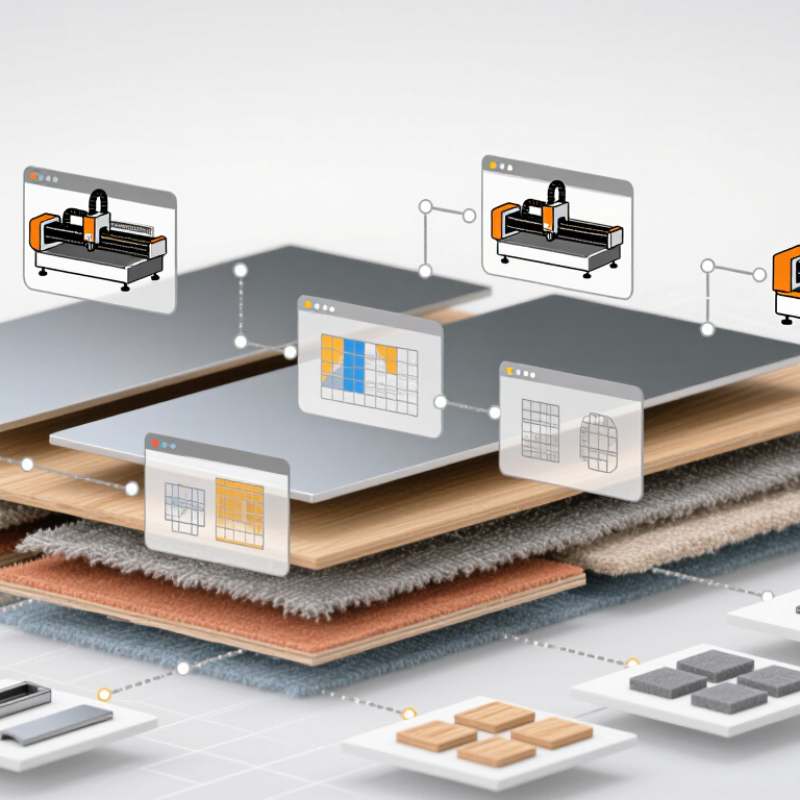
Choosing nesting software in 2026 is less about chasing a single “best” product and more about matching the tool to the material, machine, and production workflow. A cabinet shop cutting rectangular panels has different needs from an apparel maker arranging irregular fabric pieces or a metal fabricator nesting parts on steel sheets. The distinctions matter on the shop floor.

Deloitte’s 2024 Smart Manufacturing Survey reported that 92% of manufacturing executives viewed smart manufacturing as a key driver of competitiveness over the following three years. That finding is not specific to nesting software, but it reflects the wider shift toward connected, data-led production. In practice, useful comparisons should examine 2D and true-shape nesting, 3D nesting, automated and interactive workflows, and software integrated with CAD/CAM systems. Cloud access and material-specific features may also matter, but neither guarantees better results.

Lean manufacturing expert Shigeo Shingo warned, “The most dangerous kind of waste is the waste we do not recognize.” His observation predates modern nesting tools, yet it speaks to a real challenge: offcuts, setup delays, and awkward part placement can be easy to overlook. Small details count. A neat screen preview may still fail to account for grain direction, clamps, or a machine’s cutting limits. This guide compares the main types of nesting software and the trade-offs buyers should test before choosing. Use the categories as a starting point, not a verdict; real performance depends on your own materials, operators, and production data.
What Are the Top Types of Nesting Software in 2026?

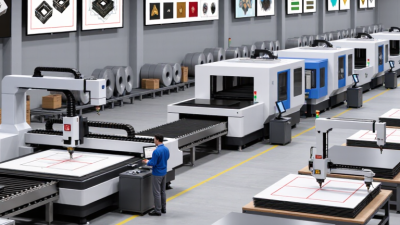
Sheet Metal Nesting Software for Laser, Plasma, and Waterjet Cutting

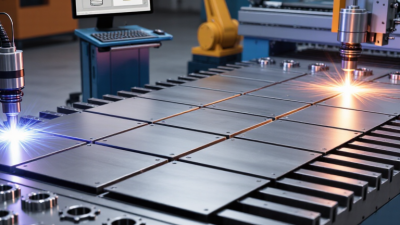
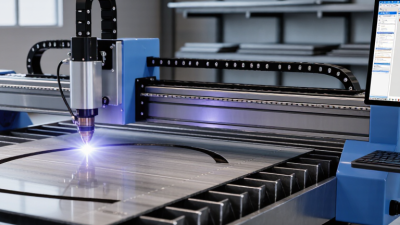
Sheet metal nesting software converts flat patterns into cutting layouts, but the best strategy depends on the process. Laser jobs often benefit from tight spacing and common-line cuts, especially on thin sheets where kerf is narrow. Plasma cutting handles thicker plate, so a layout must allow for heat buildup, lead-ins, and part stability. Waterjet cutting avoids a heat-affected zone, yet abrasive access, pierce points, and jet taper still shape practical spacing. A clean-looking nest is not always the easiest one to cut.

Useful software compares true-shape and rectangular nesting, tracks remnants, and checks machine-specific cutting rules. Operators should review the result against actual sheet condition and shop experience; material variation can upset a perfect-looking plan. The International Energy Agency reported that industry accounted for about 37% of global energy use in 2022, a broad figure rather than a cutting-shop benchmark. It underlines why reducing scrap and unnecessary machine time matters, but software alone cannot guarantee either.

Small details count. A missed pierce location or awkward skeleton can slow unloading and erase some gains. When comparing nesting types in 2026, assess yield alongside cut time, handling, and reliable post-processing.

2D Nesting Software for Wood, Glass, and Plastic Sheets

For wood, glass, and plastic sheets, 2D nesting software places part outlines on flat stock to reduce offcuts and prepare cutting paths. A useful system accounts for sheet dimensions, kerf width, grain direction, and fragile edges. Wood panels may need grain alignment; glass often requires edge clearance; plastic can vary in thickness and heat response. One layout cannot safely treat all three materials alike.

Production scale makes waste worth measuring. FAO’s 2022 forest-products review puts global wood-based panel production at roughly 400 million cubic metres. PlasticsEurope’s Plastics – the Fast Facts 2023 reports 400.3 million tonnes of plastics produced worldwide in 2022. These figures describe material industries, not software savings. Actual savings depend on part geometry, usable remnants, and operator settings. A tidy visual layout can still fail on the shop floor.

Tips: Confirm the machine’s real kerf and clamping zones before nesting. Keep a remnant library, but label uncertain offcuts clearly. Test a sample sheet. Software can improve material use, yet someone still needs to check grain, edge quality, and toolpath direction. I would not trust a perfect-looking preview without that check.

Top Types of 2D Nesting Software for Wood, Glass, and Plastic Sheets

This chart compares the area of example common stock-sheet formats used in material-specific 2D nesting workflows.

How to read it: Wood and plastic examples use 1220 × 2440 mm sheets; the glass example uses a 3210 × 2250 mm sheet. Wood workflows commonly nest panel parts, glass workflows optimize cut patterns while accounting for glass-specific constraints, and plastic workflows arrange sheet parts to reduce waste. Sheet formats vary by supplier and region; this is a size comparison, not a software ranking.

True-Shape Nesting Software for Irregular Parts and Materials

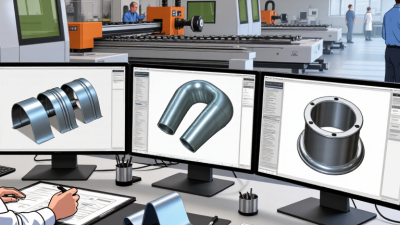
True-shape nesting software places parts according to their actual outlines, not just rectangular bounding boxes. This matters when parts have curves, notches, holes, or angled edges. A curved bracket, for example, may fit beside the hollow edge of another part, reducing unused sheet material.

The approach is useful for irregular components cut from sheet metal, fabric, foam, or composite stock. Software can test rotations and clearances while accounting for tool width, grain direction, or restricted cutting zones when those settings are available. Small details matter. A narrow gap may look efficient on screen but leave too little room for the cutting tool. That is easy to miss.

Results depend on accurate input. If a scanned contour is rough, or a material remnant is entered at the wrong size, the layout may not match the workshop floor. Operators should review part orientation, edge clearance, and machine limits before production. A test layout on a real job can reveal awkward handling or cuts that software estimates poorly. True-shape nesting can improve material use, but it is not a substitute for sound setup and practical checks.

What Are the Top Types of Nesting Software in 2026? - True-Shape Nesting Software for Irregular Parts and Materials

Nesting Type How It Arranges Parts Best Suited Materials and Geometry Common Applications Key Advantages Important Considerations
True-Shape Nesting Places parts according to their actual outlines rather than treating each part as a rectangle. Depending on the software and process, parts may be rotated or nested into gaps between other shapes. Irregular 2D profiles, including parts with curved, angled, or concave edges; sheet and plate materials. Sheet-metal fabrication, laser and plasma cutting, waterjet cutting, and other profile-cutting workflows. Can use available sheet area more effectively than simple rectangular placement when part shapes allow close fitting. Results depend on part geometry, permitted rotations, cutting clearances, tool constraints, and the quality of the input geometry.
Rectangular Nesting Arranges rectangular or rectangular-bounded items in rows or patterns on a sheet, panel, or roll. Rectangular blanks, panels, tiles, boards, and parts that must remain within rectangular bounds. Panel processing, packaging layouts, glass cutting, and other workflows involving mostly rectangular items. Simple to configure and useful when the stock and parts are rectangular or when orientation rules are straightforward. May leave unusable gaps around irregular outlines because placement is based on rectangular bounds.
One-Dimensional (Linear) Nesting Groups cut lengths along a single stock direction, such as bars, rods, pipes, or profiles. Long stock with a fixed cross-section and parts defined primarily by length. Saw cutting and length optimization for metal, plastic, timber, and other bar or profile stock. Helps plan cut sequences and reduce offcuts while accounting for stock lengths and, where supported, kerf. Does not optimize two-dimensional sheet layouts; material-specific cut and handling rules still matter.
Common-Line Nesting Places compatible parts so they can share a cutting boundary, allowing one cut to separate adjacent edges. Parts with suitable shared edges and materials or processes that support the required cutting strategy. Profile cutting where reducing duplicated cut paths or cycle time is useful. Can reduce total cut length and the number of separate cutting moves in appropriate layouts. Requires compatible geometry and process settings; shared cuts can affect part quality, heat input, stability, or downstream handling.
Remnant-Aware Nesting Considers usable leftover stock from previous jobs when planning new layouts. Reusable sheet or plate remnants with known dimensions and condition. Shops that retain and track leftover material for future production jobs. Can help make use of existing stock before opening a new sheet or plate. Requires accurate remnant identification, dimensions, material grade, thickness, and availability records.
Interactive or Manual-Assisted Nesting Lets an operator position, rotate, or adjust parts directly, sometimes alongside automatic placement tools. Jobs with special orientation, grain, appearance, defect-avoidance, or handling requirements. Short runs, prototypes, and production jobs requiring operator judgment. Allows practical constraints and experience to influence the layout. Layout quality and consistency can depend on operator skill and the time available for adjustments.
Automatic Batch Nesting Processes groups of parts and generates layouts automatically using configured material, quantity, and process rules. Repeatable production involving multiple parts, jobs, or stock sizes. Production planning for cutting operations where many jobs must be prepared efficiently. Can reduce repetitive manual layout work and apply consistent rules across batches. Output depends on accurate job data and settings, including quantities, stock limits, rotation rules, and cutting clearances.

These approaches are not mutually exclusive. A nesting workflow may combine true-shape placement, common-line cutting, remnant use, and automatic or operator-assisted planning.

Textile Nesting Software for Fabric and Garment Production

What Are the Top Types of Nesting Software in 2026?

Textile Nesting Software for Fabric and Garment Production

Textile nesting software helps garment teams arrange pattern pieces across a fabric width while limiting unused space. Common options include interactive marker-making, automatic 2D nesting, and constraint-based systems. Interactive tools let a technician move pieces by hand. Automatic systems search for efficient layouts. Constraint-based tools can account for grain direction, nap, matching checks, and fabric defects. The right choice depends on the material and production workflow.

For example, velvet pieces may need to face the same direction, while a checked fabric may require careful matching at seams. A layout that looks compact on screen is not always practical on the cutting table. Operators should verify fabric width, shrinkage allowances, and defect zones before approving a marker. Small input errors can affect several garments. Software helps, but it cannot replace production knowledge.

Tips: Test a new layout on a short fabric run before using it at scale. Compare fabric use with cutting time, not just the screen’s efficiency estimate. Keep a record of adjustments that worked. This takes extra effort, and the best arrangement may still involve compromise.

3D Nesting Software for Additive Manufacturing and Packaging

For additive manufacturing, 3D nesting software arranges digital parts inside a build volume before printing. It can account for part shape, spacing, orientation, and process limits. A well-packed build may reduce unused space and help teams plan material use. It can also make support removal and inspection easier. These gains depend on accurate models and realistic machine settings. A tight layout is not always a good layout.

Packaging uses nesting tools differently. They place boxes, trays, or product shapes within sheets, rolls, or containers. The software may consider cutting paths, material thickness, crush risk, and packing order. For example, a packaging designer can test whether several carton sizes fit on one sheet with less scrap.

In 3D packing, weight and stability matter too. Results still need human review; a mathematically efficient arrangement may be awkward to assemble or ship.

Tips: Check model units, machine limits, and material assumptions before trusting a layout. Compare predicted material use with actual production records. For packaging, inspect edge clearance and loading sequence. For additive builds, check access to enclosed cavities and post-processing space. Small details matter. I have seen a layout look excellent on screen, then prove difficult to unload. Treat software recommendations as a strong starting point, not a final verdict.